Step 1: Go to https://sfi.gsu.edu and login with your CampusID and Password.
Step 2: Select the Disclosures tab. In the Search field, search for someone by entering their Name, Email Address or CampusID. Check that the person's Email Address in the Proposal form in the Research Portal matches the email listed here.
- If the email does not match, update the email address in the Proposal form to the one listed here. The disclosed proposal will only pull into the Proposal form if the email addresses match.
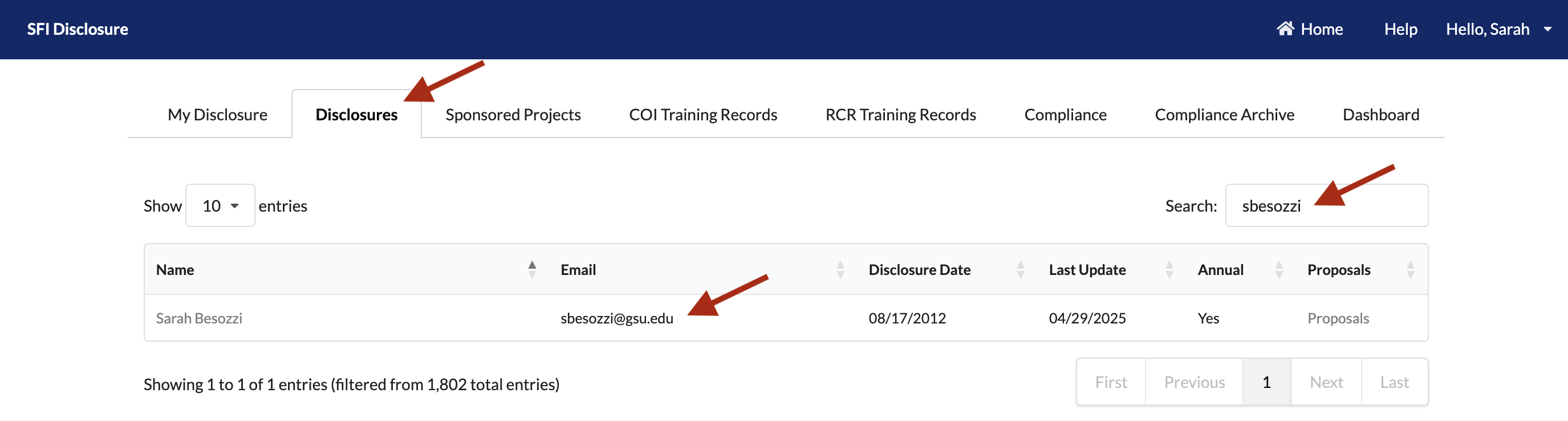
Step 3: Under the Proposals column, select the Proposals link on the row of the person you're searching for:

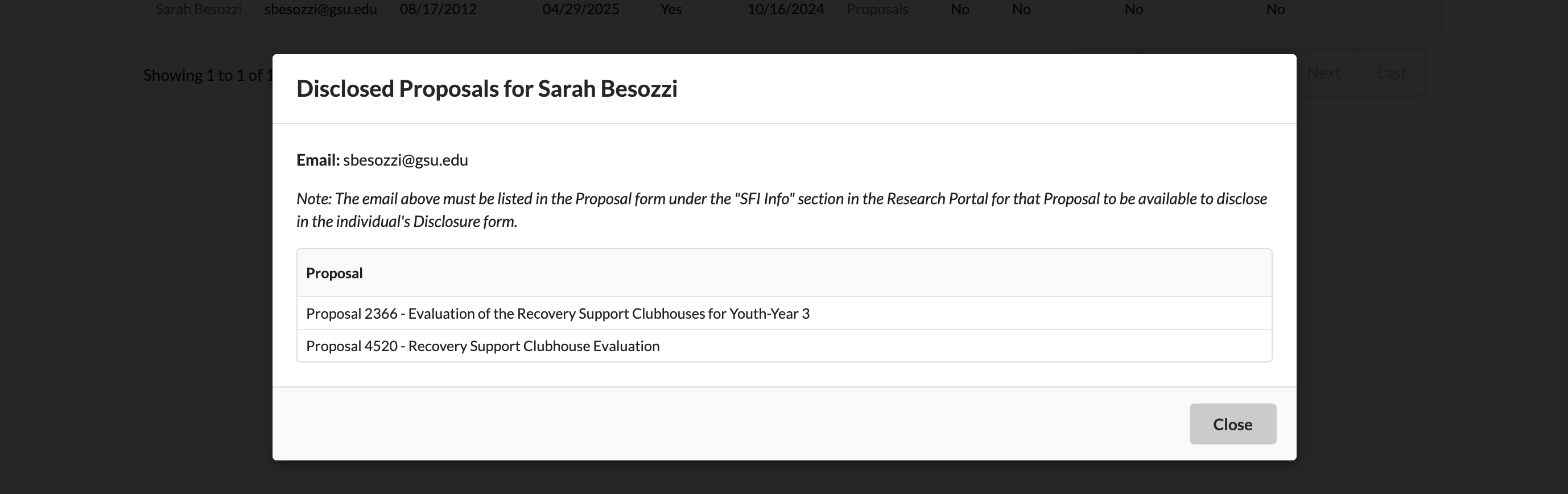
Step 4: In the pop-up, you'll see all proposals listed that the person has disclosed in the system.
- If you do not see the Proposal listed, the person needs to disclose the Proposal using the guide here: How to Add a Proposal to Disclosure Form.
- If you do see the Proposal listed, the person has successfully disclosed the Proposal.